
Une fonctionnalité de Windows 10 Pro et Entreprise / Windows 11 (toutes versions) que peu de monde connaît et qu’encore moins de monde utilise.
La sandbox est une fonctionnalité très cool pour pouvoir exécuter tous vos programmes chelous et ouvrir des pièces jointes curieuses sans pour autant mettre à risque votre ordinateur.



L’outil Simplewall interagit avec WFP et permet ainsi de configurer l’activité réseau de votre PC Windows. Vous pourrez ainsi créer vos propres règles de filtrage y compris sur les services systèmes, mettre en place des listes de blocage pour esquiver la télémétrie de Windows ou encore avoir des logs sur les paquets qui transitent et ceux qui droppent sans raison apparente.

Un site qui propose à peu près la même chose que "have i been pwned" https://haveibeenpwned.com/
avec la particularité de pouvoir afficher à l’écran ton mot de passe en clair https://breachdirectory.org/

Une liste de tous les trucs merdique à virer sous Android et tous ceux qu'il ne faut pas virer.

Renforcer la sécurité de Firefox
browser.privatebrowsing.autostart = true
This customization will always open your Firefox browser in incognito mode, which can be very helpful in hiding your browser data from another person operating the same system.
It will also prevent storing history, cookies, and site data in your browser, making it harder for websites and third-party apps to track you. Even though, your ISP can still take a look at the sites you were visiting.
media.peerconnection.enabled = false
WebRTC, aka Web Real-Time Communication, allows sharing of voice, video chat, and P2P sharing of files through your browser. It might be useful in some cases, but enabling it might bypass your encrypted tunnel created by a VPN, exposing your IP address.
Disabling this feature will prevent or cause a problem while accessing web applications that depend upon this technology, such as Google Meet, Discord, Snapchat, etc.
privacy.resistFingerprinting = true
Enabling this feature will make Firefox more resistant to browser fingerprinting. However, there are multiple metrics while fingerprinting. Enabling this feature will not guarantee your complete anonymity.
Even Firefox users criticized this feature in forums when it was first introduced.
privacy.trackingprotection.fingerprinting.enabled = true
Fingerprinting scripts collect information about your browser and device configuration, such as your operating system, screen resolution, and other settings.
By compiling these pieces of data, fingerprinters create a unique profile of you that can be used to track you around the Web.
privacy.trackingprotection.cryptomining.enabled = true
It will prevent websites from running crypto mining scripts that use your computer’s central processing unit (CPU) to invisibly mine cryptocurrency.
Enabling only prevents sites from doing crypto mining in your system. However, installing malicious software can make your system vulnerable to crypto mining. Always check the source when you download an application from the internet.
privacy.firstparty.isolate = true
The feature restricts cookies, cache, and other data access to the domain level so that only the domain that dropped the cookie or file on the user system can access it, which prevents tracking across multiple domains.
In case, if you set the Enhanced Tracking Protection to the Strict option, you do not have to change anything.
privacy.trackingprotection.enabled = true
Tracking Protection is a new platform-level technology that blocks HTTP loads at the network level. It is based on the Safe Browsing technology that powers our phishing and malware protection.
This feature was part of the Polaris initiative.
geo.enabled = false
By default, this setting is set to false to prevent websites from tracking your precise location. However, there is a separate mechanism that many sites use that is about as accurate for desktop or laptop computers, and that is location lookup by IP address.
You can not prevent it unless you were using a secure VPN on your system, but still disabling this takes you one step further in your privacy.
network.cookie.cookieBehavior
This preference will set the value in the integer as shown below.
0 = Accept all cookies by default
1 = Only accept cookies from the originating site (block third-party cookies)
2 = Block all cookies by default
3 = Lock cookies from unvisited sites
4 = New Cookie Jar policy (prevents storage access to trackers)
The range from 1 to 3 will improve your security. I suggest setting 2 or 3. However, the new Cookie Jar Policy (option 4) will provide you with more protection but might break some websites.
network.cookie.lifetimePolicy = 2
This is another integer type preference that you should set to a value of 2. It will tell Firefox to automatically delete all the cookies at the end of the session. You can even switch to another option as per your needs from the below list:
0 = Accept cookies normally
1 = Prompt for each cookie
2 = Accept for the current session only
3 = Accept for N days
network.dns.disablePrefetch = true
Settings this preference to true will prevent Firefox from performing domain name resolution proactively and in parallel for hyperlinks, images, CSS, JavaScript, and other webpage content.
However, enabling this preference comes with some risks that have been described in this paper.
network.prefetch-next = false
This setting helps to prefetch pages that are likely to be visited, so the browser downloads them immediately and they can be displayed when the user requests them.
Setting this preference to false will prevent pages from being prefetched by Firefox. Which lets all pages load only when they are visited by the user.
webgl.disabled = true
WebGL can fingerprint your device, so disabling this feature will be a good choice. However, I’ve found many websites do not work when the setting is set to disable. If that happens, switch back to default and test if it works.
dom.event.clipboardevents.enabled = false
It will prevent websites from getting notifications if you copy, paste, or cut something from the page. However, to work on Google Docs using the keyboard (Ctrl+C, Ctrl+X, Ctrl+V), it needs dom.event.clipboardevents.enabled to be enabled.
media.eme.enabled = false
This disables the playback of DRM-controlled HTML5 content. See details here.

Liste des codes secrets sur Android
Faire une liste blanche/noire de périphériques USB sous Linux
FilterLists une énorme listes de blocage pour les publicités, les trackers, les logiciels malveillants et les nuisances. Par Collin M. Barrett.
Nous donnons toujours une identité à nos personnages, et donc des données personnelles. Certaines personnes plus ou moins mal intentionnées tentent leur chance et harcèlent les malheureux possesseurs d’un numéro de téléphone ou d’une adresse de courriel. Cette page recense des données qui ne pourront jamais être attribuées dans le monde réel.
Numéro de téléphone fictif pour le cinéma, plages d'adresses IP pour les documentations et exemples, nom de domaines fictifs...
Listes organisées d'outils, de conseils et de ressources pour protéger la sécurité numérique et la confidentialité
xBrowserSync permet de synchroniser vos bookmarks entre tous vos navigateurs tout en respectant votre vie privée et votre anonymat.
Aucune inscription nécessaire, il suffit juste de télécharger l’extension, de saisir un mot de passe pour chiffrer les données et de synchroniser.
Vous obtiendrez un ID unique que vous devrez renseigner dans tous vos autres navigateurs / appareils pour que ces derniers récupèrent ce qui a été synchronisé.
Disponible pour Firefox, Chrome et dérivés et une application Android est également disponible sur F-Droid, le Play Store ou en APK.
Lynis est un outil d'audit de sécurité pour les systèmes basés sur UNIX comme Linux, macOS, BSD et autres. Il effectue une analyse de sécurité approfondie et s'exécute sur le système lui-même. L'objectif principal est de tester les défenses de sécurité et de fournir des conseils pour renforcer davantage le système. Il analysera également les informations système générales, les progiciels vulnérables et les éventuels problèmes de configuration. Lynis était couramment utilisé par les administrateurs système et les auditeurs pour évaluer les défenses de sécurité de leurs systèmes. En plus de "l'équipe bleue", les testeurs d'intrusion ont également Lynis dans leur boîte à outils.
DynFi™ Firewall est un pare-feu unique qui permet aux entreprises et institutions de protéger efficacement leurs réseaux tout en offrant une visibilité complète sur son code source.
DynFi Firewall dispose d’une interface intégralement traduite en français et dans onze autres langues.
C'est un fork du projet OPNsense, dont l'intégralité des mécanismes de compilation a été modernisé et migré sous FreeBSD 13 et poudriere.
Lynis est un outil Open Source destiné aux administrateurs systèmes, et aux experts en sécurité informatique. Cet outil sert à évaluer la sécurité des systèmes Unix/Linux. Lynis scanne votre système, ainsi que les logiciels installés, à la recherche d’éventuels problèmes de sécurité, ou d’erreurs de configuration ou de vulnérabilités des systèmes. Lynis supporte entre autres sur les systèmes suivants :… Read More »
1 - Have I been pwned?
2 - Firefox Monitor de Mozilla
3 - Avast hack check
4 - BreachDirectory
5 - Cybernews
6 - DeHashed
7 - Inoitsu Email Address Breach Analysis
8 - Mypwd
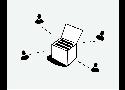
Juste vous et votre navigateur. Pas de serveurs, pas de stockage de données, pas d'émissions.
L'incendie dramatique du datacenter d'OVH nous rappelle que les backups sont importants.
Voici quelques règles générales pour assurer la sécurité de vos données. Ces règles sont utiles même si vous êtes un particulier.